Skip to content

More done every week, with you making every call.

You don't need another app to check. You need replies sent, fixes live and the next step clear, with your say on each one.

Decisions in a tap

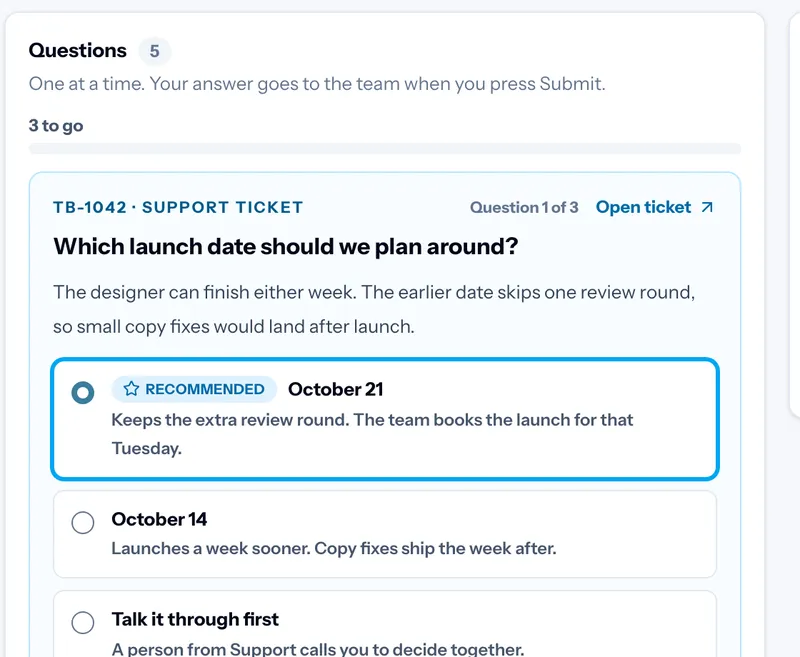
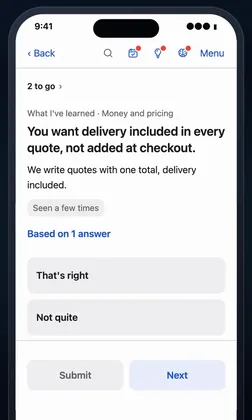
Questions wait on your dashboard, each with a recommended answer.
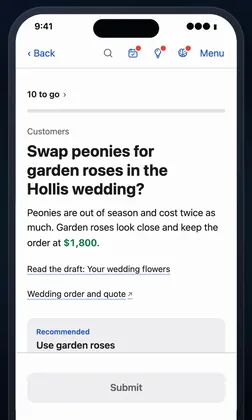
The Block Runway dashboard with a question and its recommended answer.

A Brain that learns you

The Block Runway learns your style and preferences from every answer, so its picks get closer to yours. A person guides the critical calls.

Work shipped with your approval

Each change shows its plan, a cost limit and a preview before it goes live.
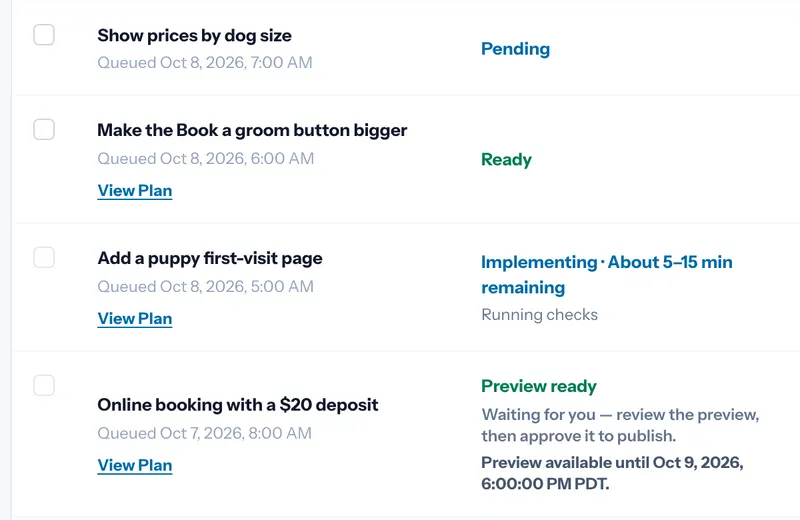
A list of website changes, one with its preview ready and waiting for approval.

Opportunities found

Research on your site and market becomes a ranked list of what to fix first.
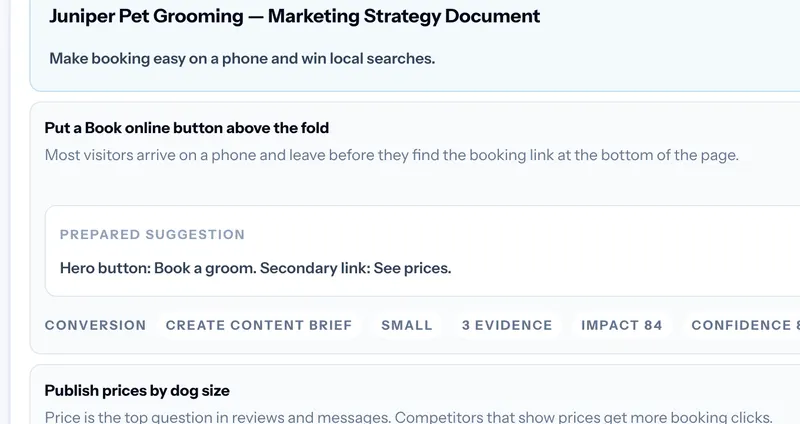
Research on a website turned into a ranked list of opportunities.

Your day, planned

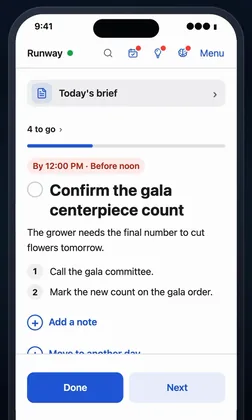
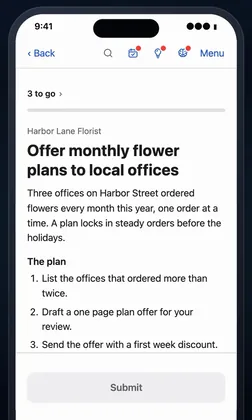
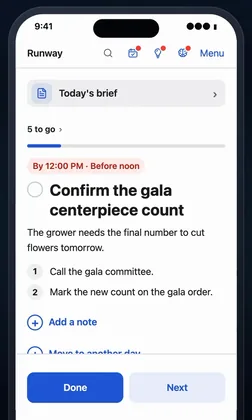
Tasks, meetings and a morning brief, in order.
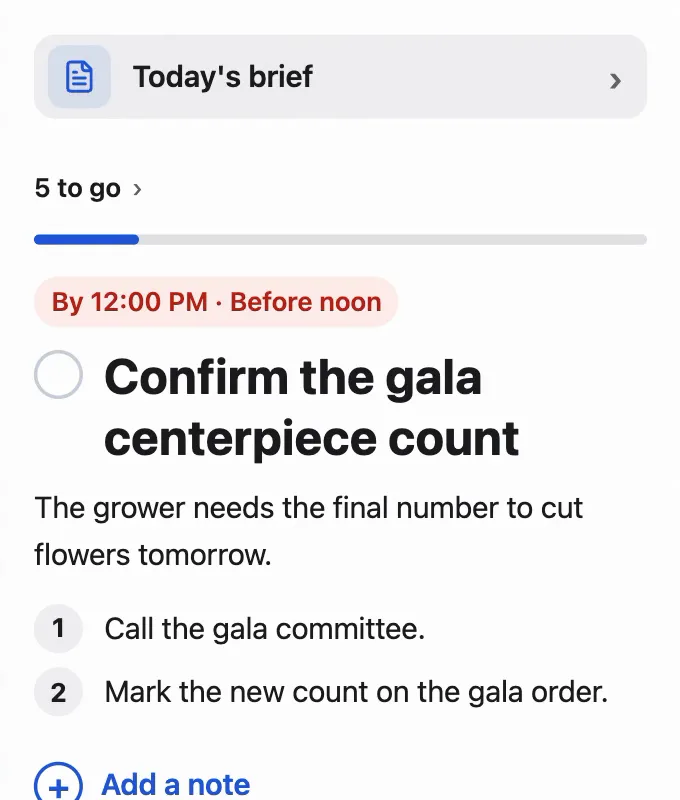
A phone showing today's brief, then the next task, due before noon, with its two steps.

Help in your meetings

Wingman brings up what you need while you talk.
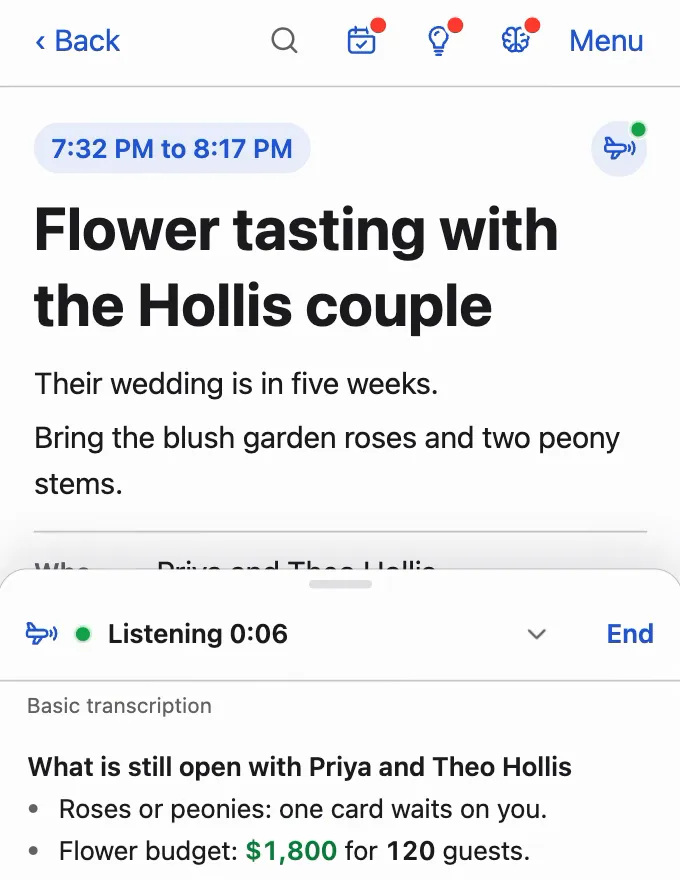
A phone showing a flower tasting with a sample couple, with Wingman listening and what is still open.

Screens and examples from The Block Runway with sample data.

More of what you get

What The Block Runway does for you, grouped by where it helps.
Every decision

  • Nothing sends without your yesA fixed rule, not the AI, checks for your yes before anything sends.
  • The source is one tap awayEvery question links to the message or page it came from.
  • The facts that matter, markedKey facts are highlighted, with a screenshot when it helps.
  • No surprises after your yesEach answer tells you what it will do before you tap.
  • Skip anything for laterIt waits, and nothing happens until you answer.
  • One list of what got doneFinished work lands on one list, so you see the week at a glance.

Customers and replies

  • Replies in your own toneDrafts match your greeting, your length and your sign-off.
  • Sent from your own inboxCustomers see your name and address. Their replies come back to you.
  • Change a line, then say yesEdit any draft word for word, or add a note, before it goes.
  • Your email becomes questionsConnect Gmail or Microsoft 365 once. What needs you becomes a question.
  • Posts approved before they publishA person in your workspace approves each social post first.

Your site and growth

  • A preview before anything goes liveSite changes are built and shown to you first.
  • Changes tested firstA failed check stops a change before it goes live.
  • Seen in search and AI answersSee how you show up in search and in the answers AI gives.
  • Three ideas for what's nextOnce a week, Brainstorm suggests three next moves from what your workspace knows.
  • A plan for growthResearch becomes positioning, channels and campaigns in one plan.

Built around how you work

  • Software made for your businessFocused business tools and websites, built around the way you work.
  • Click through it firstOpen a working preview full screen and ask for changes.
  • Your look on every pageYour logo, colours and approved examples guide every page and post.
  • Room to keep improvingFeedback, past changes and the current version stay together.
  • A quick or detailed startAnswer only the essential questions, or choose more up front.

Bigger work, planned

  • A big priority becomes a planTasks with clear criteria, dependencies and the role each one needs.
  • A cost limit on bigger workIt can't grow past what you funded.
  • Experts when it needs judgmentQualified people pick up funded work from the marketplace.
  • Several jobs at onceJobs run side by side, so one long job never holds up the rest.
  • Progress you can followTrack each task through delivery and review.

Your data, safe and current

  • Current numbers on every answerConnected tools sync on a schedule, without you asking.
  • Money answers from real numbersWith your bank or books connected, answers start from real figures.
  • Enter it onceYour facts, voice and logo, saved once and reused by your projects.
  • A backup if an AI service failsIf one AI company has trouble, a backup from another picks up.
  • Your files stay privateUploads go to private storage, never a public link.
  • Sign in with a passkeyUse a passkey instead of a password.