From a new request to work done, with one tap from you.
The Block Runway reads what comes in, asks what needs you and does the work after your yes.

- How The Block Runway works. More than email: six things it does in a day.
- The Block Runway plans your day. Tasks, meetings and a morning brief, in order.
- Decide with one tap. The facts come with it. The follow-up is done for you.
- Wingman helps in your meetings. What you need shows up while you talk.
- Work keeps moving while you're busy. See what is running and when it will be done.
- The Block Runway finds ways to grow. Each idea comes with a plan. Say go and it starts.
- The Block Runway learns how you work. Tell it once. It remembers.
- Say yes. The Block Runway does the rest.
What happens, step by step
Real screens from The Block Runway, with sample data.
What needs you becomes a question
Connect your inbox, calendar, files, ads and payments once. The Block Runway reads what comes in and asks you what needs a decision.
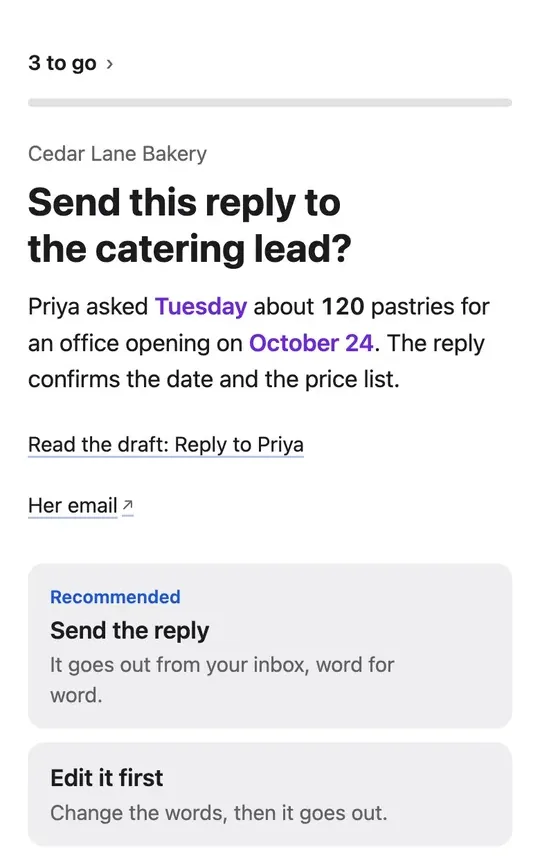
A reply drafted in your tone
Drafts match your greeting, your length and your sign-off. Read every word before anything goes.
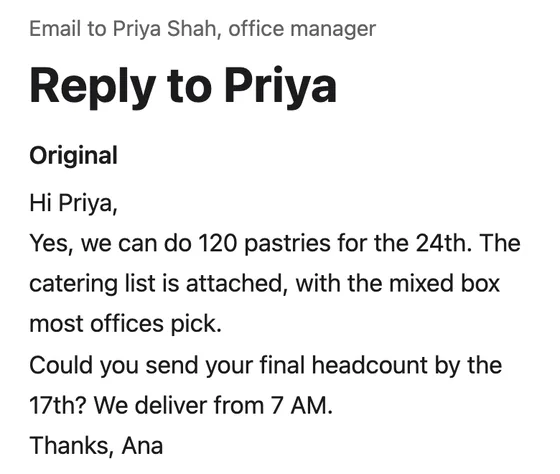
You decide in a tap
Take the recommended answer, pick another option or write your own. Each answer says what happens next.
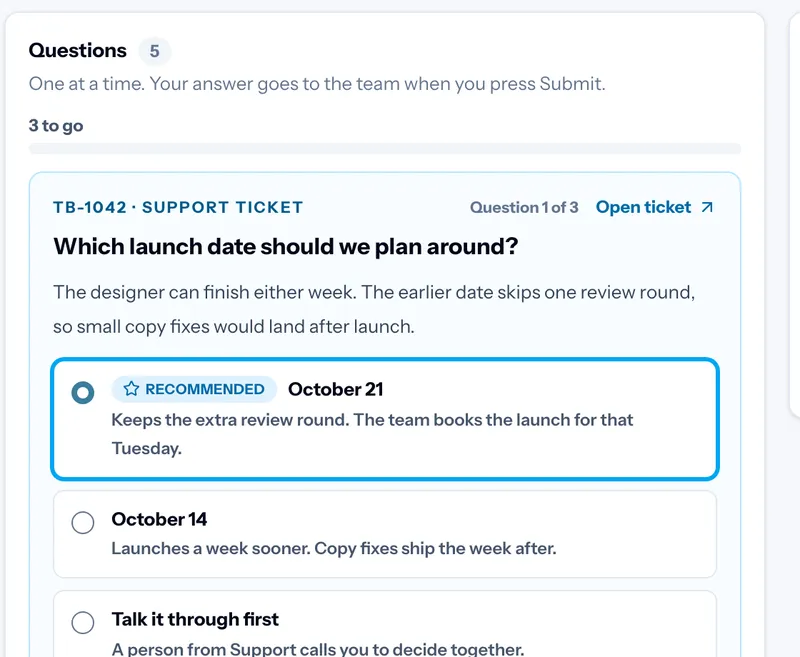
The work gets done, with a preview first
Replies go out from your own inbox. Site changes are tested, then shown as a preview for your approval.
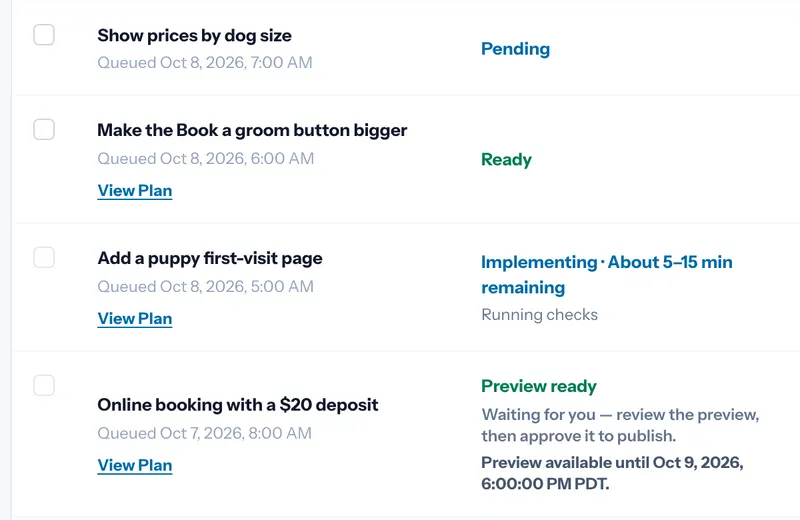
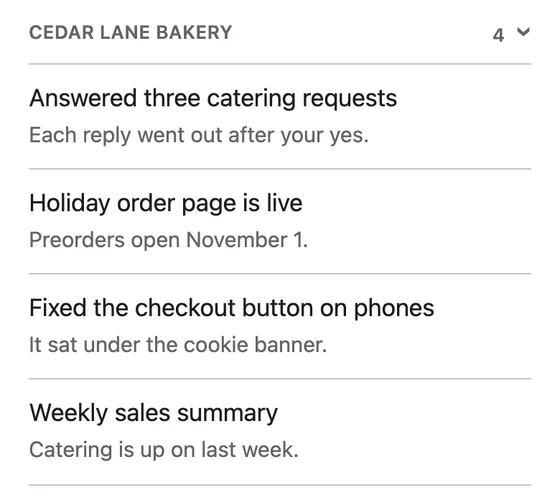
One list of what got done
Finished work lands on one list, so you see the week at a glance.
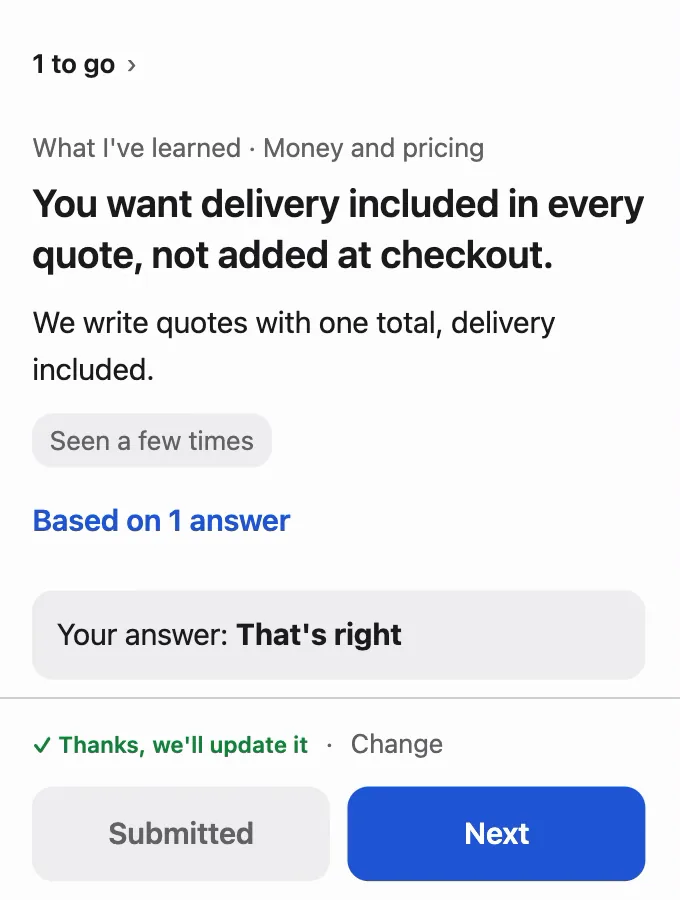
It learns how you decide
Each answer teaches The Block Runway a preference. It asks you to confirm what it learned, then remembers.
What you keep in control
- Nothing is sent or spent without your yes.
- A fixed rule, not the AI, checks for that yes.
- Every question links to where it came from.
- Edit any draft word for word before it goes.
- Skip anything for later. Nothing happens until you answer.
- Bigger work has a cost limit you fund.
- Payment and bank connections only read. They can't move money.
- Disconnect any tool at any time.
How it differs from an AI assistant
AI assistants and agents start from a prompt or a goal you give them. The Block Runway starts from what comes in.
| The Block Runway | An AI assistant or agent | |
|---|---|---|
| Where work starts | It reads your inbox, calls and tickets, then brings you questions. | You write a prompt or set a goal. |
| What you see | A recommended answer, the facts and where they came from. | An answer, a draft or a file for you to check. |
| Before anything goes out | A fixed rule checks for your yes. | Its settings, or an AI check, decide when to ask you. |
| Who does the work | The Block, with qualified people on work that needs judgment. | The AI, on its own. |
| Bigger jobs | A plan with a cost limit you fund before it starts. | Whatever fits your plan's usage limits. |
An assistant is the better pick if you'd rather write the prompts and check each result yourself.
Questions
Do I have to write prompts?
No. The Block Runway reads what comes in and brings you questions. You can still add a note to any answer.
What if none of the options fit?
Write your own answer. Every answer teaches The Block Runway a little more about how you decide.
Who does the work after my yes?
The Block's agents and people. Bigger work becomes a plan with a budget you fund, done by qualified people.
Which tools can I connect?
Your inbox, calendar, files, ads and payments. Your Connections page lists the tools available to your workspace.
Can it get things wrong?
It can, so it asks first. Each question shows the facts and the source, and nothing goes out without your yes.
What does it cost?
There are monthly and annual plans. The pricing page shows what each one includes.